View, share or change your Wi-Fi details
Want to view, share or change your Wi-Fi network name or password? Choose below which devices you use.
Which devices do you use?
We cannot retrieve your data. Please make your own choice.
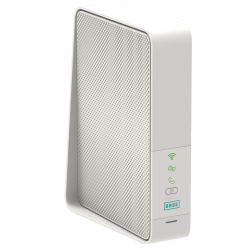
You only use the BASE modem
Where can you find your Wi-Fi network name and password?
Go to My BASE. You’ll find your Wi-Fi network name and password there right away.
Haven’t changed your Wi-Fi details? You can also find the original Wi-Fi details on the sticker at the bottom of your modem.
How can a guest connect?
Go to My BASE. Let your guest scan the QR code. They’ll be connected to your Wi-Fi network right away, without having to type anything.

How can I change my Wi-Fi network name and password?
Go to My BASE > Modem > Network security and enable the expert settings. You can then change your Wi-Fi network name and password.
Please note: if you change your Wi-Fi details, you’ll need to reconnect all your devices using the new network name and/or password.
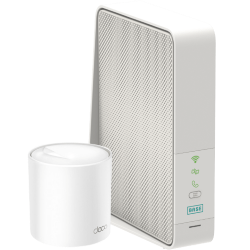
You use the BASE modem and Wi-Fi boosters
Have you extended your Wi-Fi network with Wi-Fi boosters? Then you have to connect your devices to your boosters’ network. This way, you stay smoothly connected at home.
Where can I find my Wi-Fi network name and password?
If you don't have the Deco app yet, you can download it from the Google Play Store or App Store. Open it and go to Wi-Fi settings. You’ll find your Wi-Fi network name and password there.
How can a guest connect?
Open the Deco app and go to Wi-Fi settings > Share. Let your guest scan the QR code. They’ll be connected to your Wi-Fi network right away, without having to type anything.
How can I change my Wi-Fi network name and password?
Open the Deco app and go to Wi-Fi settings. You can change your Wi-Fi network name and password there.
Please note: if you change your Wi-Fi details, you’ll need to reconnect all your devices using the new network name and/or password.

- Go to My BASE and click on the Home netowrk tile.
- In the left navigation, click Modem.
- On the General tab you can switch off your Wi-Fi.


